Timesheet Software for Agricultural Equipment Companies
Why Time Tracking Is Difficult in Agricultural Equipment
OfficeSeries Timesheet is a system designed from the ground up to help agricultural equipment businesses achieve their goals. In this industry, service providers manage numerous customer projects, maintain many client relationships, and deal with a workforce that shifts dramatically based on season. OfficeSeries Timesheet helps them do that more effectively.
We focus on making sure your team spends as little time as possible creating timesheets, allowing them to quickly find the project they are working on and ensuring that their timesheets are accurate. In turn, this gives service managers the visibility they need to understand how their service techs are spending their time. When too much time is spent on an engine rebuild or a field installation, you can see it in the metrics, which helps you reach out to your team and ask what can be done to improve the process.
The challenges unique to agricultural equipment companies include seasonal workforce fluctuation, field service across wide geographic areas, mixed billing between warranty and customer-pay labor, and multi-location coordination. OfficeSeries addresses each of these by tying time entry directly to work orders and providing flexible approval workflows that match how dealerships actually operate.
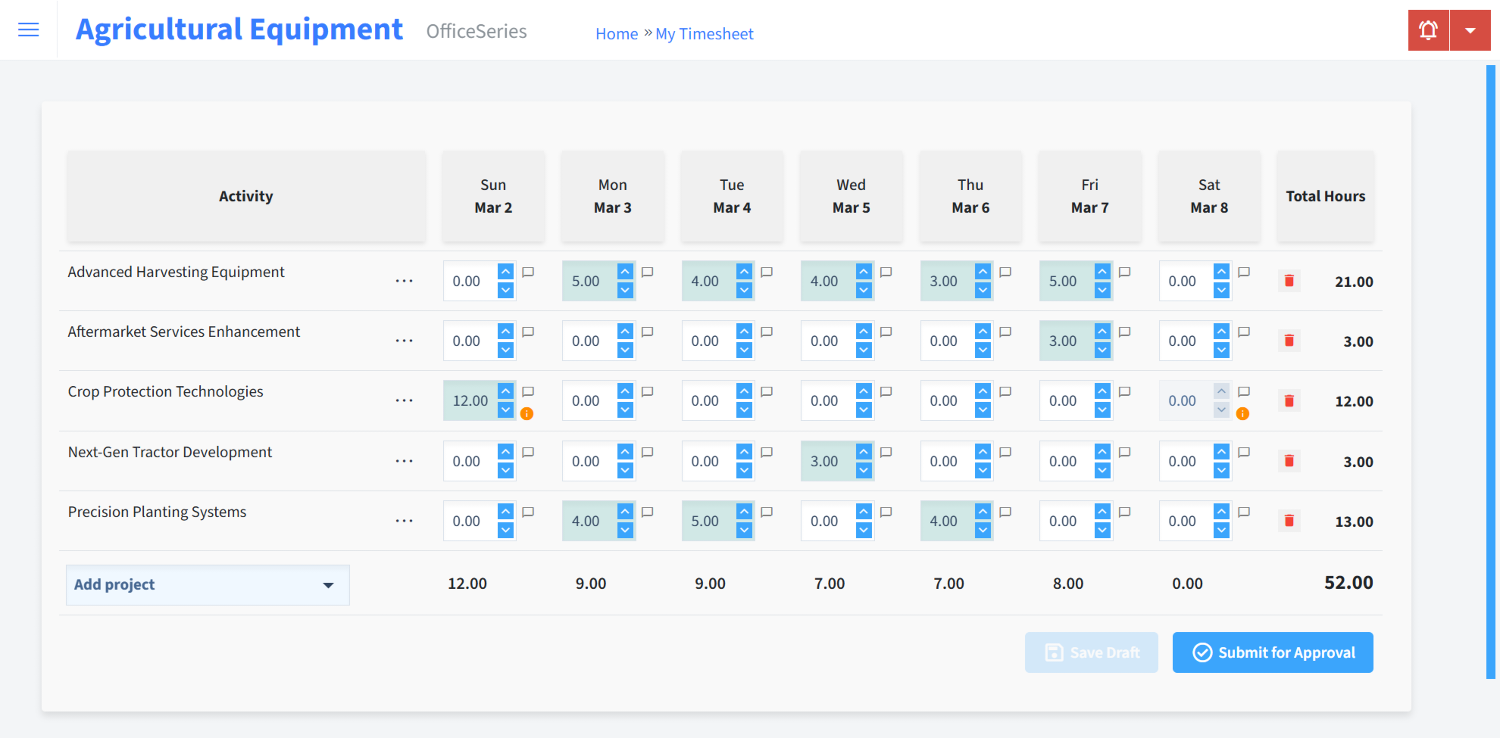
Here is the time entry screen. Technicians select their assigned work order, choose a labor category, and submit:
Key Features for Agricultural Equipment Operations
Work Order-Based Time Entry
Most timesheet software assumes time entry means clocking in and out. In agricultural equipment, what matters is which job the hours go against. OfficeSeries lets technicians log time directly against a specific repair order, whether that is a combine header rebuild, a GPS receiver installation, or a pre-delivery inspection. At the end of the week, timesheets already align with your work orders without manual reconciliation.
Dual Approval Workflows
Service managers often need to approve time by project because they own the work order P&L. Shop foremen need to approve by team because they manage the people. OfficeSeries supports both approval paths running simultaneously so neither one blocks the other. This is particularly important when you are processing dozens of open repair orders each week. Learn how approvals work.
Role-Based Permissions
Each role in your organization sees only what is relevant to them. Parts department staff see parts-related data. Service sees service. Your controller or dealer principal sees the full picture across departments. The access model maps to your actual organizational hierarchy rather than a generic admin/user toggle.
DMS-Compatible Exports
Many agricultural equipment dealers run a dealer management system like CDK, HBS Systems, or EQUIP IQ. OfficeSeries exports timesheet data in formats that are compatible with these systems without requiring manual reformatting. Excel, PDF, and CSV are all available. View export options.
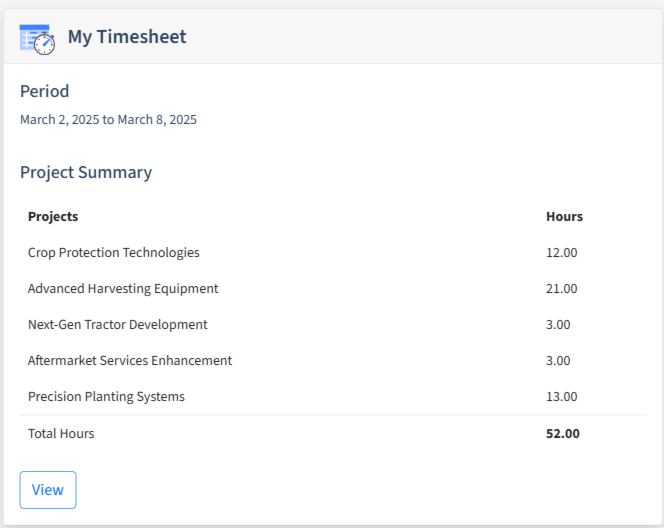
The dashboard provides an at-a-glance view of submitted hours, pending approvals, and active projects:
Common Challenges OfficeSeries Solves
Seasonal Workforce Onboarding
Agricultural equipment dealers frequently expand their technician count during planting and harvest seasons. OfficeSeries makes onboarding straightforward. Adding a new user, assigning their projects, and getting them entering time takes minutes rather than days. When the season ends, accounts can be deactivated while historical data remains available for reporting. Accessible on any device.
Field Service Time Capture
Technicians working on-site at customer locations need to separate their hours into meaningful categories such as travel, diagnostics, and repair. The mobile interface makes this quick and submits in real time, giving service managers visibility before the technician returns to the shop.
Warranty vs. Customer-Pay Classification
Accurately separating warranty labor from customer-billable work is critical for OEM reimbursement claims. OfficeSeries requires technicians to classify each time entry at the point of submission, ensuring accounting receives clean data for claim processing.
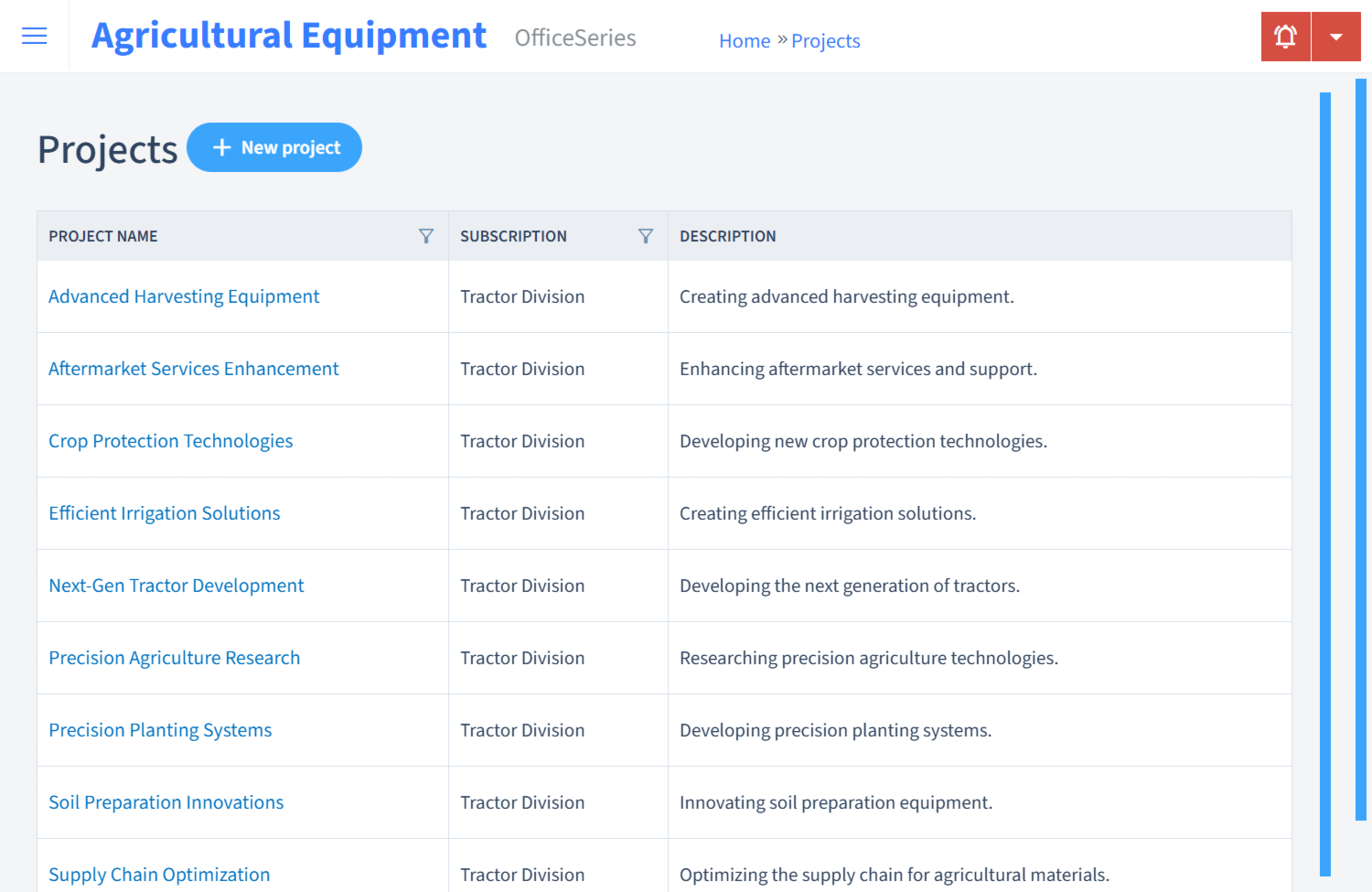
The projects view organizes all work by category with hours tracked against each:
Metrics That Drive Profitability
For agricultural equipment operations, the following metrics directly impact the bottom line:
| Metric | Business Impact |
|---|---|
| Technician utilization rate | Indicates whether billable hours cover bay costs |
| Average labor hours per repair order | Identifies efficiency trends and training needs |
| Seasonal labor cost vs. budget | Measures staffing accuracy during peak periods |
| Warranty claim cycle time | Tracks days from job completion to OEM reimbursement |
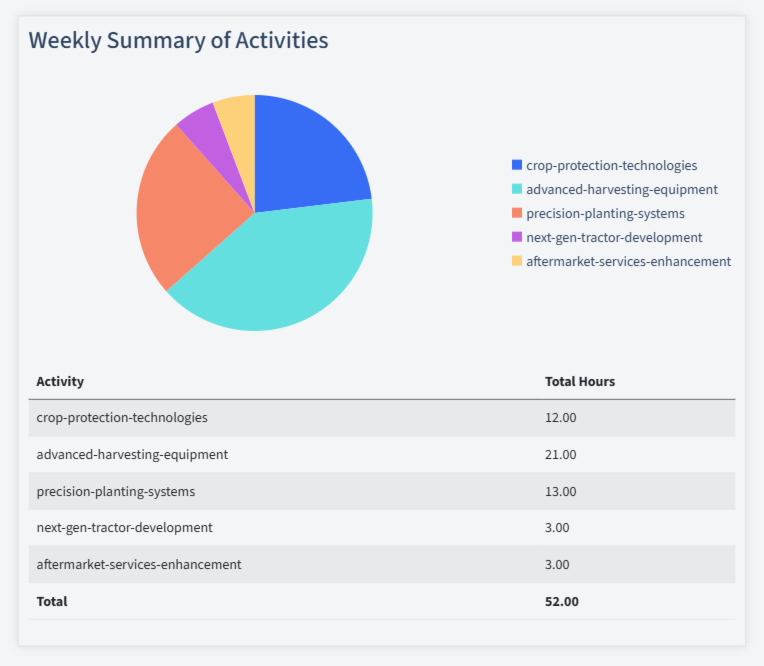
OfficeSeries surfaces these metrics automatically through the activity summary without requiring manual spreadsheet work:
Security and Compliance
Multi-location dealer groups need consistent labor tracking across sites while keeping each location's data appropriately segmented. OfficeSeries provides:
- 256-bit encryption for data in transit and at rest
- Multi-factor authentication for approval and admin accounts
- Full audit trail on every timesheet edit, which is critical during labor disputes or regulatory inquiries
- Role-based access control that mirrors your organizational structure
These controls help meet Department of Labor recordkeeping requirements and OEM audit standards. Learn more about our security model.
Who Benefits Most
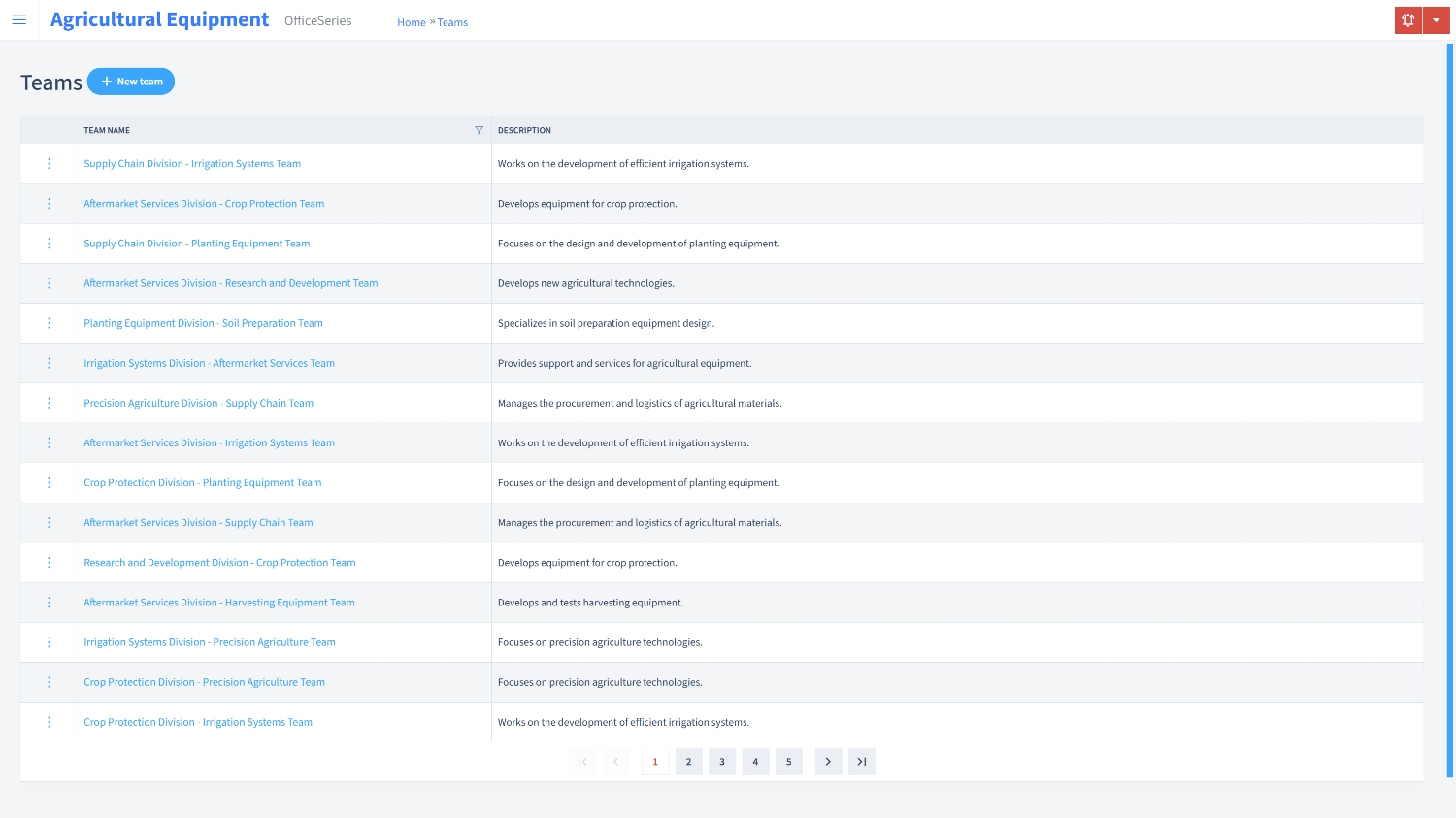
The teams view shows your workforce organized by department with each member's current timesheet status visible to managers:
Service Managers use the approval queue to verify hours match repair orders, flag anything exceeding book time, and monitor shop throughput. Project tracking provides a consolidated view of all open work.
Field Service Technicians enter time from any device while on-site. They categorize hours by travel, diagnostics, and repair, then submit for approval before leaving the customer location.
Parts and Sales Staff track time spent on customer quotes, inventory management, and vendor coordination. This helps leadership understand true labor costs across all departments.
Controllers and Dealer Principals pull consolidated reports across locations to identify labor cost trends, seasonal patterns, and department-level profitability. Exports integrate directly into accounting workflows.
Seasonal Employees get a simplified experience with no learning curve. They select their assigned task, enter hours, and submit. Automated notifications remind them before payroll cutoff.
Pricing
OfficeSeries offers plans without per-user minimums, which is important when adding seasonal staff for limited periods.
- Essentials includes time entry, approvals, and basic reporting for single-location operations.
- Professional adds role-based access, multi-project tracking, and advanced reporting for growing dealer groups.
- Enterprise includes multi-location management, custom workflows, and priority support for large organizations.
Get Started
- Start a free trial with no credit card required
- Configure your departments and project codes
- Invite your team and let them enter time for a day
- Review your first report and see workforce data you have not had access to before
For help configuring OfficeSeries for your specific operation, our documentation covers common agricultural equipment dealership setups, or contact our support team for guided onboarding.
Ready to Start Your Experience?
View timesheet plans and compare features.